
Trucker Guide: Truck Stops
Trucker GuideMaps & Navigation
4.1598.00 Reviews
- Version
- 6.0.4
- Installs
- 100.00K
- Age Rating
- Everyone
Screenshots
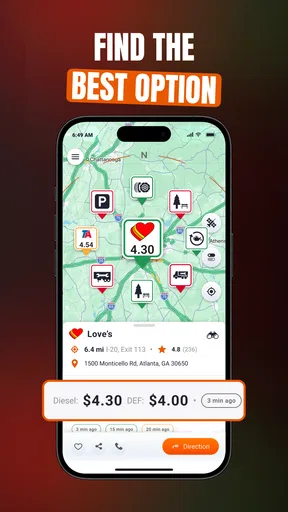
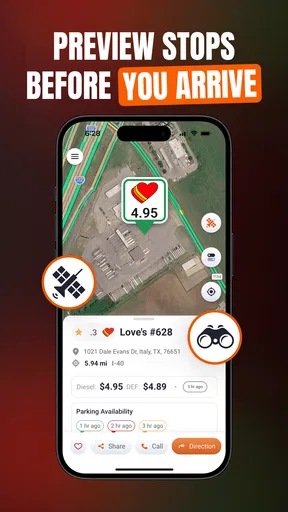
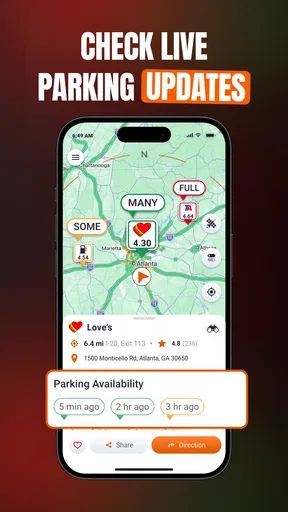
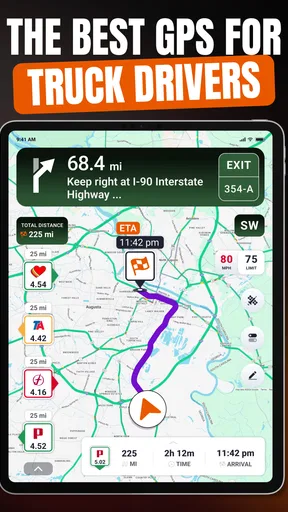
Our Review of Trucker Guide: Truck Stops
 Analysis by Appyee
I would treat a truck navigation app as a planning aid, not something to follow blindly. That distinction matters with Trucker Guide: Truck GPS Maps: its truck-focused routing and road information give drivers a more relevant starting point than a general map, but safe decisions still depend on checking signs, conditions, and the details of the vehicle. I see the most value for people who regularly drive unfamiliar roads and want navigation, traffic context, and truck-related stops together.
A useful shared screen, with one driver in charge
On a household trip, a truck driver might use the phone for directions while a passenger helps look ahead for a suitable stop. That can make the journey easier to coordinate, especially when the driver is concentrating on the road and does not want to search through map categories while moving. The app’s truck-oriented points of interest give the passenger a more relevant place to start than a standard search for nearby facilities.
I would keep the driver’s attention on driving and leave any route comparisons or stop searches to a passenger, when one is available. Even useful navigation becomes a distraction if someone tries to adjust it from the driver’s seat at the wrong moment. Before setting off, it is sensible to agree on the destination and likely break points rather than expecting the app to make every decision on the fly.
Set up the route before the cab is moving
The main practical setup question is whether the vehicle details used for truck routing reflect the truck actually being driven. Dimensions and weight can influence which roads are appropriate, so stale or approximate entries weaken the point of using specialized navigation. I would check those details when switching vehicles, and revisit them if a load changes the relevant weight. This is a small preparation step with a larger payoff than trying to correct a route after reaching a restriction.
It also helps to enter the destination while parked and review the route before departure. A truck-friendly suggestion is not a substitute for reading posted restrictions or responding to a temporary closure. I would use the map to anticipate the general course of a trip, then stay alert to road signs and changing conditions. That approach makes the app a useful second source of guidance without treating it as an authority over what is physically on the road.
Coordination is more than finding the destination
Truck stops, weigh stations, and rest areas serve different needs, and finding them in one navigation context can make trip planning less fragmented. A driver can think about a break or a service stop as part of the journey rather than waiting until a need becomes urgent. For a shared device, it is worth agreeing on who handles searches and changes: one person can navigate, while another checks candidate stops when the vehicle is safely parked.
Live traffic is most useful as a prompt to reassess timing, not a promise that a new route will always be better. If traffic changes near a complex interchange, I would compare the reroute with the truck’s restrictions and the signs ahead rather than making a sudden maneuver. When a delay is manageable, staying on the familiar route may be the calmer choice. The trade-off is that automated rerouting can save time in some situations but still needs a driver’s judgment.
Age context and account boundaries
The app is rated for Everyone, but its natural audience is someone planning or taking a vehicle trip, not a child using a game or social app. In a family or shared-device setting, that age label should not be mistaken for a reason to let a young passenger operate navigation while the vehicle is moving. I would have an adult handle setup and route decisions, with a passenger helping only when it is safe.
Because a shared phone may also be used for music, calls, and other everyday tasks, it is helpful to decide whose route is active before a trip begins. A person using the device for a separate errand should not casually overwrite a driver’s destination. I would also avoid assuming that shared access means shared preferences or a dedicated family setup; the practical boundary is simply to check the route and vehicle details before relying on them.
First Impressions
As soon as you download and open the Trucker Guide: Truck GPS Maps, you're greeted with a clean and intuitive interface. It’s like the developers knew exactly what a trucker needs on the road. The setup is straightforward, and you'll be up and running in no time. During my test drive, I immediately noticed how the app tailored its map settings specifically for trucks, which is a game-changer.
Features That Stand Out
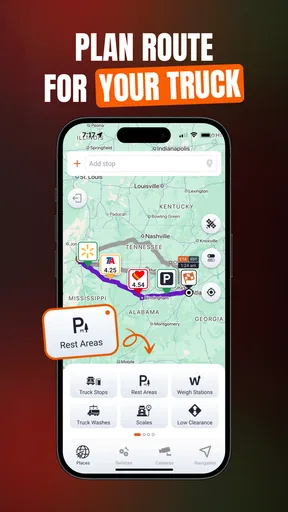
One of the first things you'll appreciate is the customizable routes. The app allows you to input your vehicle’s dimensions and weight, which helps it avoid routes with low bridges or roads that aren't truck-friendly. This feature alone can save you from a potential headache on the road.
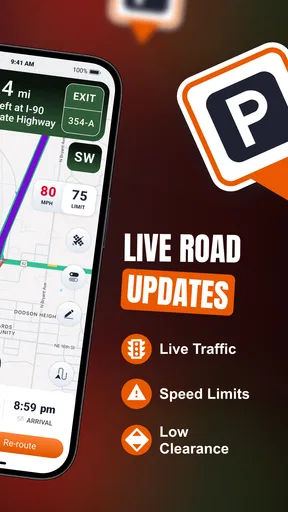
Then there’s the real-time traffic updates. With live traffic data, the app reroutes you around congested areas, keeping you on schedule. It’s like having a co-pilot who’s always looking out for the quickest way to your destination.
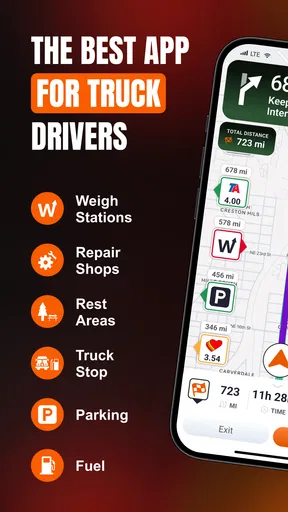
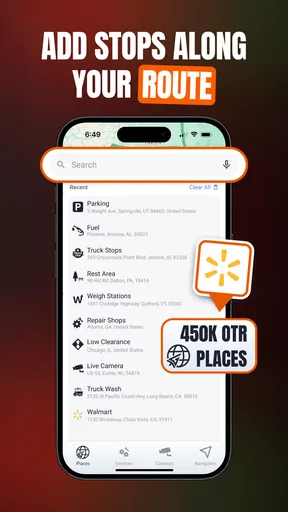
Another nifty feature is the Points of Interest (POI) tailored for truckers. Need to find a truck stop with a shower? Or perhaps a rest area with ample parking? The app’s POI database is exhaustive and incredibly useful.
User Experience
Using the app on the road is a breeze. The voice navigation is clear, and the map is easy to read, even at a glance. I found the night mode particularly helpful during late hours, as it reduces glare and makes driving safer.
The app also integrates seamlessly with music and other apps, so you can keep your favorite tunes playing without any hiccups. And the battery usage? Surprisingly efficient for an app that runs continuously during long hauls.
Making it work on an ordinary trip
Imagine leaving early for a delivery in a town you rarely visit. Before pulling out, I would enter the destination, check that the truck’s dimensions and weight are right, and look at the proposed route for any unfamiliar stretches. If congestion appears later, traffic information can help me reconsider the timing, while a passenger can look for a suitable truck stop or rest area before the next break. That is a more realistic benefit than expecting navigation to eliminate every delay: it helps organize decisions that would otherwise be split across several searches.
For regular routes, the app can still be useful even when the roads are familiar. I would use it to check traffic and locate a stop without replacing the routine knowledge built up over repeated trips. On a one-off journey, its truck-oriented context matters more, but I would be especially careful to check route suitability before departure. Familiarity changes how much guidance I need; it does not make a map infallible.
Where it fits among navigation choices
A general-purpose maps app is often enough for a car trip, a walk, or a quick search for a business. For a truck driver, the difference is the emphasis on vehicle-aware routing and truck-related places such as weigh stations and truck stops. I would choose this app when those needs are central, and keep a familiar general map available for broader place discovery or a second look at an area.
That does not mean two maps will always agree or that combining them automatically makes a route safer. If a general app suggests a shortcut that does not account for the truck, I would not treat it as an alternative truck route. The specialized tool is more relevant to the vehicle, while the usual map may be more convenient for unrelated local searches. Drivers who mostly travel in a car, rarely need truck facilities, or want only basic directions may find a mainstream navigator simpler.
Practical limits and sensible checks
Truck-specific routing depends on getting the vehicle information right, so setup is not a step I would rush. A profile that does not match the current truck can undermine route guidance, and map instructions cannot replace posted restrictions or a driver’s assessment of road conditions. Traffic changes, diversions, and local conditions also mean that a route that looked suitable before departure still needs attention along the way.
Navigation running for a long haul also makes the phone part of the driving setup. I would arrange the screen and audio before moving, keep the device where it can be consulted without reaching, and avoid handling it while driving. The app may work alongside music, but that convenience should not turn the phone into a source of competing distractions. A mount and a clear pre-trip plan matter as much as a clean map display.
Trucker Guide is free to download, with in-app purchases ranging from $14.99 to $119.99 per item. I would check what an optional purchase includes and whether it suits my actual routes before spending; the free starting point is a reason to evaluate the app, not a reason to assume every capability is included without cost. It is developed by Trucker Guide, has an average rating of 4.4 from around two thousand ratings, and has been installed over one hundred thousand times. It was released on November 8, 2022, and version 4.0.5 requires Android 6.0 or later.
Support, updates, and expectations
The developers seem committed to keeping the app up-to-date. Regular updates ensure that map data and features stay current, which is crucial in this line of work. Plus, their customer support is responsive, ready to help with any issues that might come up.
Even with navigation software, I would build in a little time to learn the controls while parked rather than discovering them during a tight turn or a busy stretch. A short practice run on a familiar route can show whether the display, voice guidance, and stop searches suit the way someone drives. That is particularly useful when the phone is shared: the person who will navigate should know how to make basic changes, instead of relying on another household member to troubleshoot from the passenger seat.
Who I would recommend it to
I see the strongest fit for truck drivers who travel beyond their familiar routes and want route guidance shaped around a truck, with traffic and truck-oriented stops close at hand. It can also suit a household where one person drives professionally and another occasionally helps plan a journey, provided they agree on who changes the active route and do the setup before departure.
I would skip it if I needed only ordinary car directions, if I rarely used truck facilities, or if I expected a navigation app to guarantee that every road is suitable without checking signs and conditions. Drivers who prefer a simpler map for local errands may be better served by their usual navigator. The best choice depends on whether truck-specific planning solves a real problem in your routine, not on how many map features an app can display.
Final Thoughts
After spending considerable time with the Trucker Guide: Truck GPS Maps, it's clear that this app is more than just a navigation tool—it's a trucker's best friend on the road. With its robust features and user-friendly interface, it takes the stress out of navigating unfamiliar routes.
If you're a trucker looking for a reliable GPS app, this might just be the one. It’s like having a seasoned navigator sitting right next to you, ensuring every trip is smooth and efficient. So, give it a try and see how it transforms your driving experience.
My household verdict
For a shared device, I would make one simple rule: the driver’s route and vehicle details take priority during a trip, and other searches happen when parked or with a passenger’s help. That keeps the useful truck-focused tools from becoming a source of confusion when several people use the same phone. It also makes clear that a family member can assist with planning without the app needing to serve as a household organizer.
Overall, I would recommend it to a truck driver who wants more relevant route planning and truck-stop context than a typical car map provides, and who is willing to check vehicle settings and road signs. It is less compelling for someone who only needs everyday directions. Used with sensible preparation rather than blind trust, it can make unfamiliar truck journeys easier to plan and manage.
Verdict
Strengths of Trucker Guide: Truck Stops
- User-friendly interface simplifies navigation.
- Real-time traffic updates enhance planning.
- Customizable routes for truck-specific needs.
- Detailed maps include truck stops and rest areas.
- Offline maps available for remote areas.
Limitations of Trucker Guide: Truck Stops
- High battery usage during navigation.
- Requires large storage space for maps.
- Some features need a subscription.
- Occasional GPS signal loss reported.
- Limited language options for non-English users.
Similar Picks in This Category
View All
Uber - Request a ride
Uber Technologies, Inc.4.7


inDrive. Rides with fair fares
® SUOL INNOVATIONS LTD4.8

Yandex Go: Taxi Food Delivery
Mikromobilnost LLC Belgrade4.8

Bolt: Request a Ride
Bolt Technology4.8

Rapido: Bike-Taxi, Auto & Cabs
Rapido Bike Taxi4.8
Frequently Asked Questions
What features does Trucker Guide: Truck GPS Maps offer?
Trucker Guide: Truck GPS Maps provides specialized navigation tailored for truckers, including real-time traffic updates, route planning based on truck dimensions, and restrictions. It also offers rest area locations, fuel stops, and weather forecasts. These features ensure that truck drivers have the most efficient and safe routes possible.
Is Trucker Guide: Truck GPS Maps compatible with all types of trucks?
Yes, Trucker Guide: Truck GPS Maps is designed to accommodate various truck types by allowing users to input specific truck dimensions and weight. This ensures that the route suggestions are compliant with regulations and avoid low bridges or restricted areas, making it suitable for different trucking needs.
Can Trucker Guide: Truck GPS Maps be used offline?
Yes, Trucker Guide: Truck GPS Maps offers offline capabilities. Users can download maps and routes in advance, which is particularly useful for areas with poor network coverage. This ensures continuous navigation support even in remote locations, enhancing the reliability of the application for truckers.
How accurate are the traffic and route updates in Trucker Guide: Truck GPS Maps?
The app provides highly accurate real-time traffic and route updates, utilizing data from multiple sources. This allows drivers to avoid congestion and find alternate routes when necessary. Regular updates ensure that the information remains current, making the app a reliable tool for efficient trip planning.
What is the cost of using Trucker Guide: Truck GPS Maps?
Trucker Guide: Truck GPS Maps offers a free version with basic features and a premium subscription with advanced features such as real-time traffic updates and offline maps. The subscription is competitively priced, providing good value for professional truckers who rely on comprehensive navigation tools.
